Open Suno, type "dark trap beat," and hit create. You get a full track: vocals, hats, an 808, a mix. It is a finished song, not source material, and none of it chops. Ten minutes later you close the tab and decide AI is not for producers. That is the wrong tool for the wrong ask.
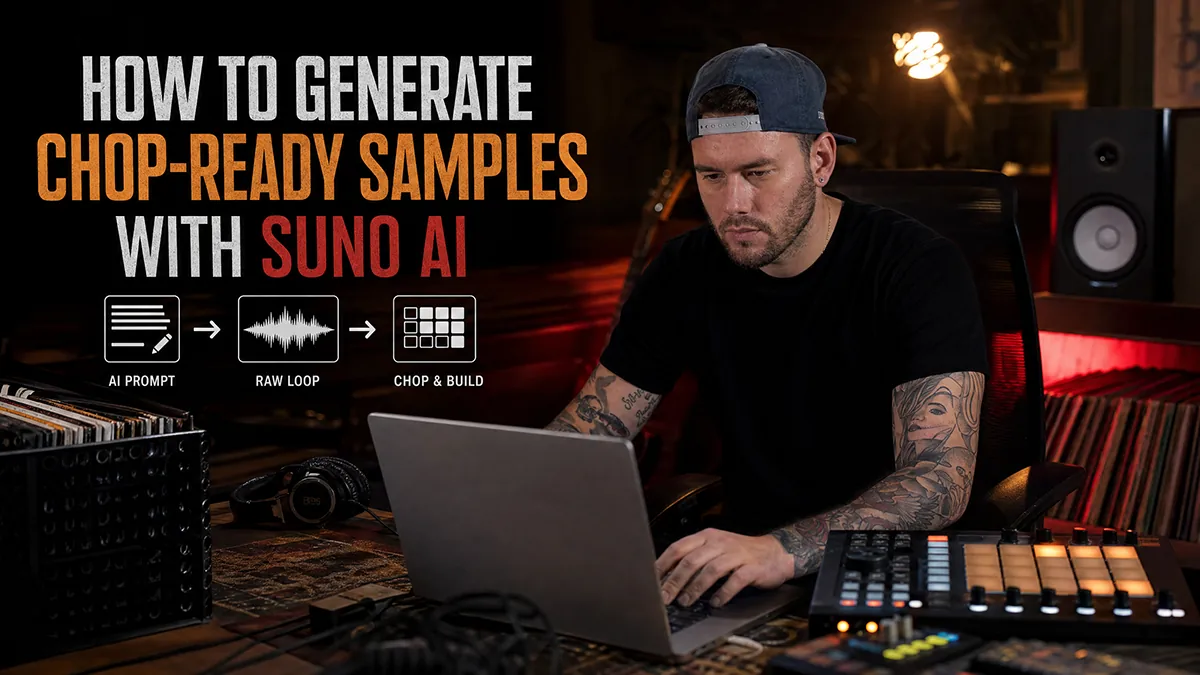
Suno is not a beat maker. Used right, it is a source of samples that does not run dry, as long as you have credits. The trick is to brief it like a crate, not a client. Here is the full workflow, from account setup to a chopped loop sitting in your DAW.
What Suno is good (and bad) at for beatmakers
Suno is good at texture and tone. It will hand you believable Rhodes, dusty strings, a room that sounds like 1972, and it will do it fast, then again ten different ways. That is real value. You are buying variations of a mood on tap.
It is bad at restraint. Left alone it adds vocals, drums, a chorus, and a full arrangement, because it was built to finish songs. So treat it like a session player who overplays every take. You are not keeping the whole performance. You are pulling the four bars that hit and throwing the rest away.
Set up your account and the right model
Setup is quick. Make an account and you land on the free plan, with a limited number of credits. That is enough to test this whole workflow before you pay anything. Check the rights before you sell anything, though: songs made on the free plan are for non-commercial use only (Suno owns them), while songs made during a Pro or Premier subscription come with commercial use rights, according to Suno's help center. Subscribing later does not cover what you made on the free plan, by default. The full picture is in is it legal to sample Suno and AI music.
Then choose a model. This is not a detail. Since September 2026, Suno's current family is v6: v6 and v6-wild for Pro and Premier subscribers, v6-mini on every plan (Suno). In my sessions, newer models sound more finished and fight you harder on restraint, while older ones, when your plan still lists them, tend to leave more space and more obvious seams to chop. Pick with sampling in mind, not with "which one is newest" in mind.
The prompt mindset: brief, not song
Stop writing song titles. "Sad lo-fi beat" is a title, and Suno will happily write you the whole sad lo-fi song. Write a brief instead, and describe the source you want, not just what to leave out.
An order that works well: the kind of source first (instrumental, melodic, sparse), then era, then texture, then one lead instrument, then a pace and a loopable structure. Something like this:
Instrumental melodic source recording, fully instrumental, no chorus. 1970s soul, warm tape saturation, vinyl surface noise, small room. Rhodes and muted trumpet. Melancholic, unhurried, repeated 8-bar phrases, sparse arrangement.
That is not a song. That is a crate order. Every clause is doing a job: describing the source you want, and pointing the model at something you can actually flip. Notice what is missing: drums. The prompt never names them, not even to exclude them, because naming them can pull them into the take; that is also how Crate Machine writes its prompts. If a rhythm section shows up anyway, regenerate.
Generate, then hunt for the 8 bars
Run it and get a few variations of the same brief. Now change how you listen. Do not judge the track. Scrub through it and hunt for the strongest four or eight bars, the section where the phrase is stable and the arrangement is thin.
A simple loop that repeats cleanly beats a gorgeous one-time fill every time, because the loop is what you build on. If nothing in a generation is stable, do not fix it in the edit. Regenerate. Credits are cheaper than fighting a bad take.
Export and get it into your DAW
Download the section as audio and drag it into your DAW. In FL Studio that means Edison or Slicex (included from Producer Edition up); in Ableton, Maschine, MPC, or the SP-404 it is the same idea. Chop to the transients or to the grid, map the slices out, then pitch, filter, and reverse until the loop is in your key and out of its original context.
From there it is a normal flip. Build your drums around the chop, not under it, and let the sample decide the mood while your kit decides the pocket. For the chopping mechanics, the FL Studio chopping guide walks the Slicex and Edison steps.
Let Crate Machine write the prompt
Writing the brief is the part most people get wrong, so we built a tool for it. Crate Machine turns a genre, a mood, an era, and an instrument choice into a structured Suno prompt made for sampling, not for finished songs: it writes the text, you paste it into Suno, and Suno makes the audio. No login, it runs in the browser, and the public counter was past 4,000 prompts generated in October 2026. For the prompt anatomy itself, read the best Suno prompts for sampling.
FAQ
Is Suno free to use?
Yes, with limits. Suno has a free plan with a limited number of credits, enough to test this whole workflow. But free-plan songs are for non-commercial use only: to sell beats built on Suno audio, generate it while subscribed to Pro or Premier.
Can I sell beats made with Suno samples?
Only with the right plan. Suno grants commercial use rights for songs made while subscribed to Pro or Premier; songs made on the free plan stay non-commercial, even if you subscribe later. Commercial rights do not guarantee copyright protection, and Suno says so itself. The full topic: read is it legal to sample Suno and AI music.
What model should I use for sampling?
The one that leaves you the most room. v6 and v6-wild need a Pro or Premier plan, v6-mini is on every plan. In my sessions newer models sound more finished and resist restraint, so prompt them harder, or try an older model if your plan still offers one: it can give cleaner, more choppable sections.
Next, get the prompt structure exactly right in best Suno prompts for sampling.